How to Identify Repetitive Tasks That Should Be Automated
One of the most common questions business owners ask is:
“What should I automate first?”
The answer is usually simpler than people expect.
You don’t start with AI.
You don’t start with software.
And you certainly don’t start by trying to automate everything.
You start by identifying repetitive work.
Because the best automation opportunities are often hiding in plain sight.
What Makes a Good Candidate for Automation?
Not every task should be automated.
The goal is not to remove humans from your business.
The goal is to remove repetitive effort from your team’s day.
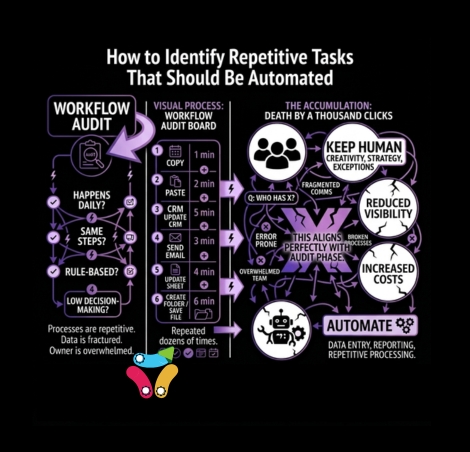
A task is usually a good candidate for automation if it meets three conditions:
It Happens Frequently
Daily, weekly, or monthly tasks often provide the greatest return.
Examples include:
- Sending onboarding emails
- Creating client folders
- Updating CRM records
- Assigning internal tasks
- Scheduling appointments
- Generating reports
The more often a task occurs, the more valuable automation becomes.
It Follows Predictable Rules
Automation works best when the same action happens every time.
For example:
When a new client signs a contract:
- Create a project folder
- Send a welcome email
- Notify the delivery team
- Update the CRM
The process is predictable and repeatable.
That’s exactly what automation is designed for.
It Doesn’t Require Human Judgment
Automation is excellent at following instructions.
Humans are excellent at making decisions.
If a task requires strategy, negotiation, creativity, or relationship building, it should probably stay with your team.
If it requires moving information from one place to another, automation may be a better fit.
The Five-Minute Audit Exercise
A simple way to identify opportunities is to spend one week paying attention to repetitive actions.
Every time you catch yourself doing one of the following, write it down:
- Copying and pasting information
- Updating multiple systems
- Sending the same email repeatedly
- Creating the same documents
- Chasing status updates
- Manually assigning work
- Searching for information
By the end of the week, patterns usually emerge.
Many business owners are surprised to discover how often they perform the same tasks over and over again.
Common Automation Opportunities
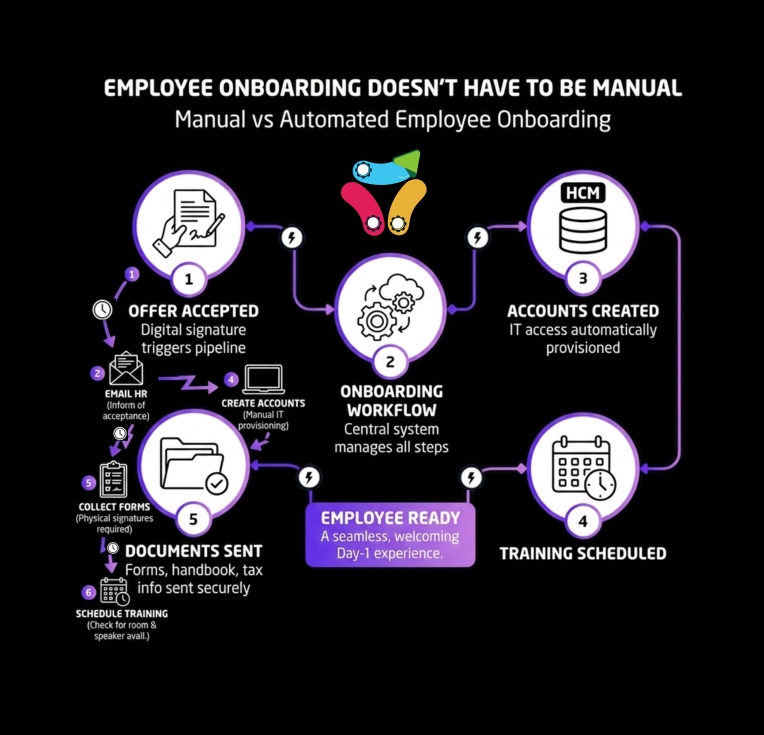
Client Onboarding
Many businesses manually:
- Create onboarding documents
- Send welcome emails
- Update CRM records
- Create project folders
- Assign internal tasks
These steps rarely change and often consume valuable time.
Lead Management
When new leads arrive, teams frequently:
- Review submissions
- Enter data into CRM systems
- Assign ownership
- Send follow-up emails
A structured workflow can handle much of this automatically.
Scheduling
Appointment booking, reminders, confirmations, and follow-ups often involve repetitive communication that can be streamlined.
Reporting
Weekly reports frequently require data collection from multiple sources.
Instead of manually gathering information, workflows can automatically collect and organize the data.
Customer Support
Creating tickets, assigning requests, notifying stakeholders, and updating statuses often follow predictable patterns.
These are ideal candidates for workflow automation.
A Simple Test: The “Three Times” Rule
Here’s a practical rule we often use:
If you perform the same process three times using the exact same steps, it’s worth evaluating for automation.
Not every process needs automation immediately.
But recurring tasks deserve attention.
The more repetition involved, the greater the potential return.
Automation Is Not Always the Answer
Sometimes the issue isn’t automation.
It’s process design.
Many businesses have workflows that evolved naturally over time without being intentionally designed.
Before automating anything, ask:
- Is this process necessary?
- Can any steps be removed?
- Are we collecting information we don’t actually use?
- Is there a simpler way to achieve the same outcome?
Improving a process before automating it often delivers better results.
Automating a bad process simply allows mistakes to happen faster.
Think in Workflows, Not Tools
Many businesses focus on software.
At AdvForLess, we focus on workflows.
Consider this example:
A new client submits a form.
What happens next?
- Documents are prepared
- Files are stored
- Emails are sent
- CRM records are updated
- Teams are notified
Those connected actions form a workflow.
When businesses start viewing operations through workflows rather than individual tools, opportunities for improvement become much easier to identify.
The Audit → Delegate → Verify Framework
When evaluating automation opportunities, we use a simple framework:
Audit
Identify repetitive work, bottlenecks, and inefficiencies.
Delegate
Determine which tasks can be handled by automation, integrations, or AI-powered systems.
Verify
Measure the outcome and ensure the solution continues delivering value.
The goal is not maximum automation.
The goal is maximum effectiveness.
Start Small
Many business owners assume automation requires a major transformation.
In reality, some of the best improvements come from small changes.
Automating a simple onboarding process.
Eliminating manual data entry.
Connecting two systems that already exist.
Reducing repetitive follow-up work.
Small improvements compound over time.
Saving just one hour per day creates more than 250 hours per year.
And unlike working harder, those hours continue to be saved every day moving forward.
Your First Opportunity Is Probably Closer Than You Think
Most businesses already have automation opportunities hiding in plain sight.
The challenge is not finding new technology.
The challenge is identifying where repetitive work is consuming valuable time.
Start by looking for tasks that happen frequently, follow predictable rules, and require little human judgment.
Those are often the easiest wins.
Because before you need more AI, more software, or more complexity, you need a clear understanding of how work actually flows through your business.
That’s where meaningful improvement begins.
Not Sure Where to Start?
A Workflow Audit helps uncover repetitive tasks, bottlenecks, and automation opportunities across your business.
The goal isn’t to automate everything.
It’s to identify the changes that will create the biggest impact with the least disruption.